Made for your kind of place
The same screen in six settings. What is on each TV is the screen itself, in that business's theme.
-
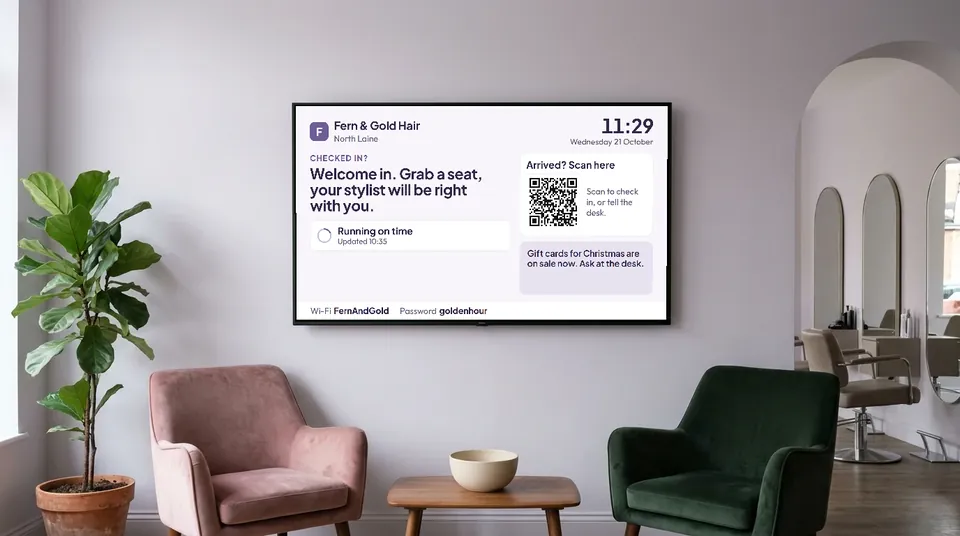
Hair salon. Lavender, light. A welcome in your own words, the running-late line and your Wi-Fi. -
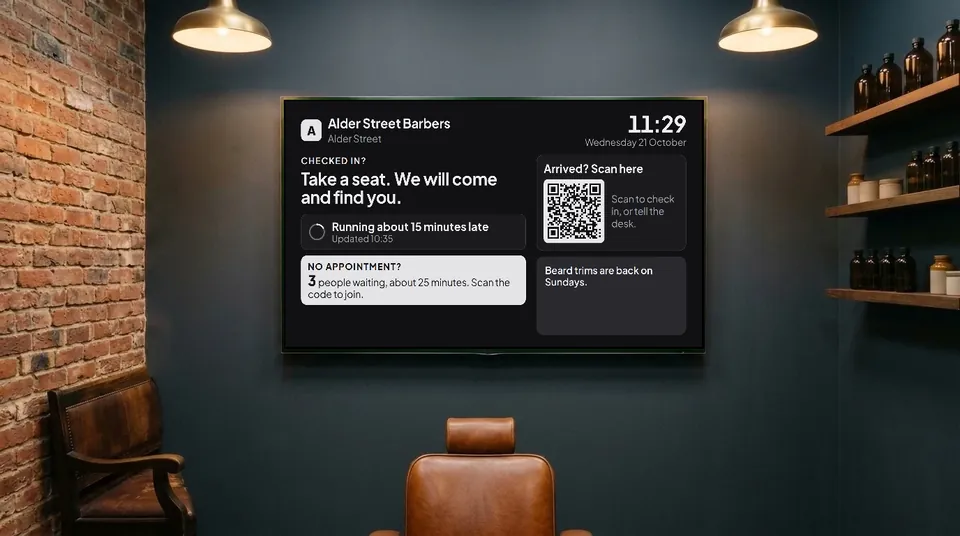
Barbers. Neutral, dark. Walk-ins see how many are ahead of them and roughly how long. -
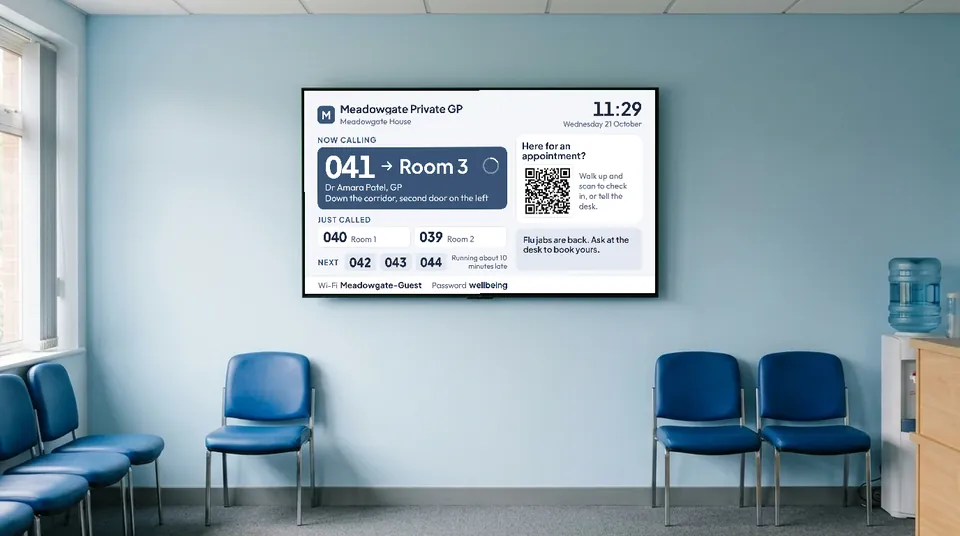
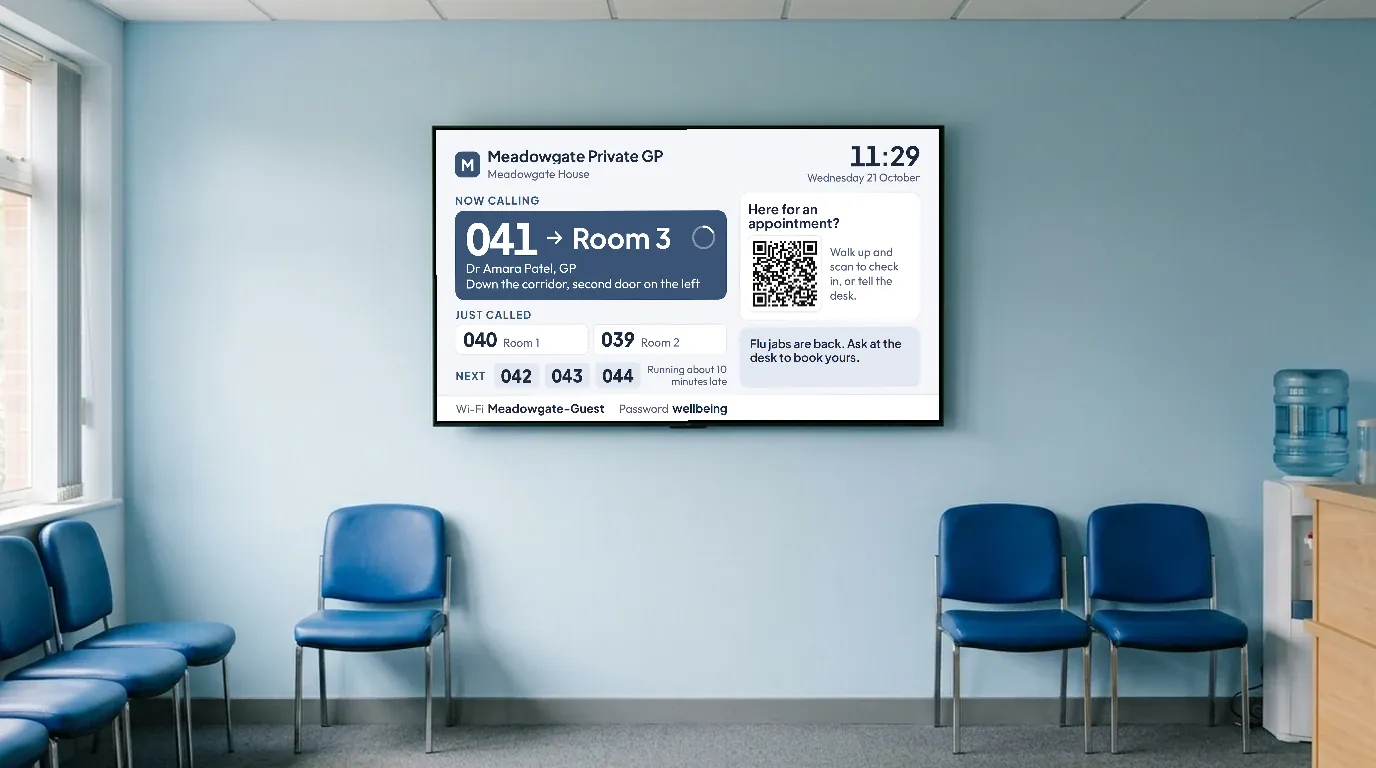
GP surgery. Blue, light. Numbers called to rooms, with directions and who they are seeing. -
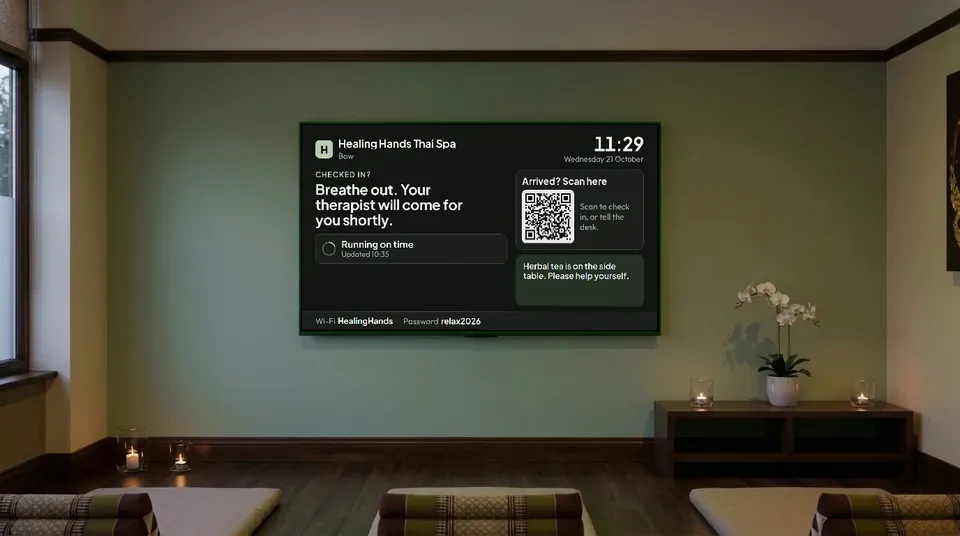
Spa. Sage, dark. Quiet and low-lit, so the screen never glares in a calm room. -
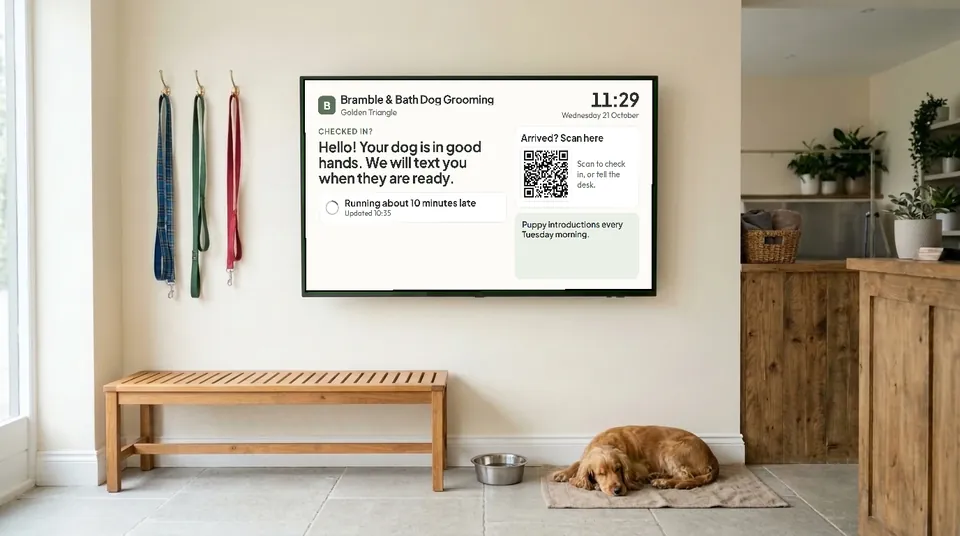
Dog groomer. Sage, light. Your notices take turns: puppy mornings, opening hours, offers. -
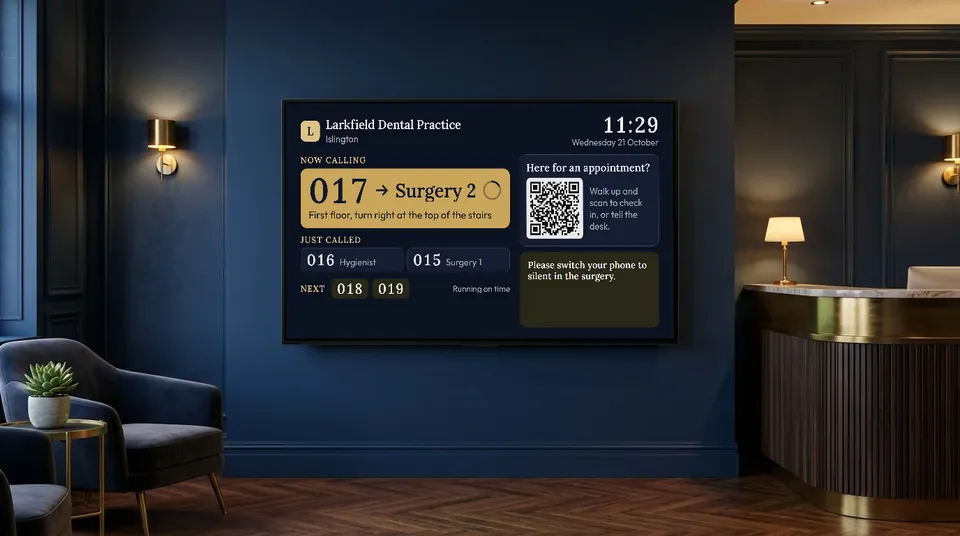
Dental practice. Navy, dark. "017 to Surgery 2, first floor", and the next three numbers.
What it shows
Everything comes from your diary and your settings, and the screen checks for changes every ten seconds.
-
Now calling
A number and the room to go to, with directions and, if you like, who they are seeing. The last two calls stay up for anyone who looked away.
-
How the day is running
One line from the diary: running on time, or about 15 minutes late. Nobody has to ask at the desk.
-
Walk-ins
How many are waiting and roughly how long, when your walk-in queue is on.
-
Check-in code
People scan it to say they have arrived. It changes every two minutes, so a photo of it soon stops working.
-
Your notices
Up to five of your own messages, taking turns: offers, holiday hours, a reminder to put phones on silent.
-
Guest Wi-Fi
Your network and password on screen, so you stop being asked for it.
-
Your look
Your logo and your theme, light or dark, or dark only outside opening hours.
-
After hours
When you are closed it dims to a clock and your next opening time.
Two ways to run it
Choose per screen, and change it whenever you like.
Nothing personal
A welcome, how the day is running, the walk-in wait and the check-in code. Nobody's appointment appears at all.
Suits salons, barbers, spas and groomers, where staff come and find people.
Numbers
Each person gets a number when they check in. The screen calls "041 to Room 3", with directions, the last two calls and the next three numbers, with a soft two-note chime if you want one.
Suits clinics, dental and physio practices, and anywhere with several rooms.
In both, the screen never shows a name, initials, contact details or a booking reference.
In every theme, light and dark
It takes your booking page's theme. Try them here.

Set up in a minute
No box to buy and nothing to install. Any TV with a web browser will do.
-
1
Open appointme.com/tv
In the TV's web browser. A smart TV, a streaming stick or a laptop plugged into the TV all work.
-
2
Type the code it shows
In Appoint Me, open Locations, then Screens, and add it. Or scan the code on the TV with your phone.
-
3
That is it
The screen follows that location's diary from then on. Remove it in the panel and the TV goes back to showing a code.
The details we thought about
- Kind to the TV: the whole picture drifts a few pixels every ten minutes, so nothing burns in.
- Calm by design: nothing flashes or pulses, and movement switches off for anyone who has reduced motion turned on.
- If the internet drops, the screen says so and carries on as soon as it is back.
- Up to ten screens per location, each with its own mode, welcome and look.
- The screen's own words are in your business's language, any of the 19 Appoint Me speaks.
Put your waiting room to work
The screen is included with Appoint Me. Sign up, open appointme.com/tv on the TV and type the code.
Get started£5 your first month, then £50 a month. Cancel any month.