Run the day
The Diary, your team's hours and the walk-ins, on one screen.
-
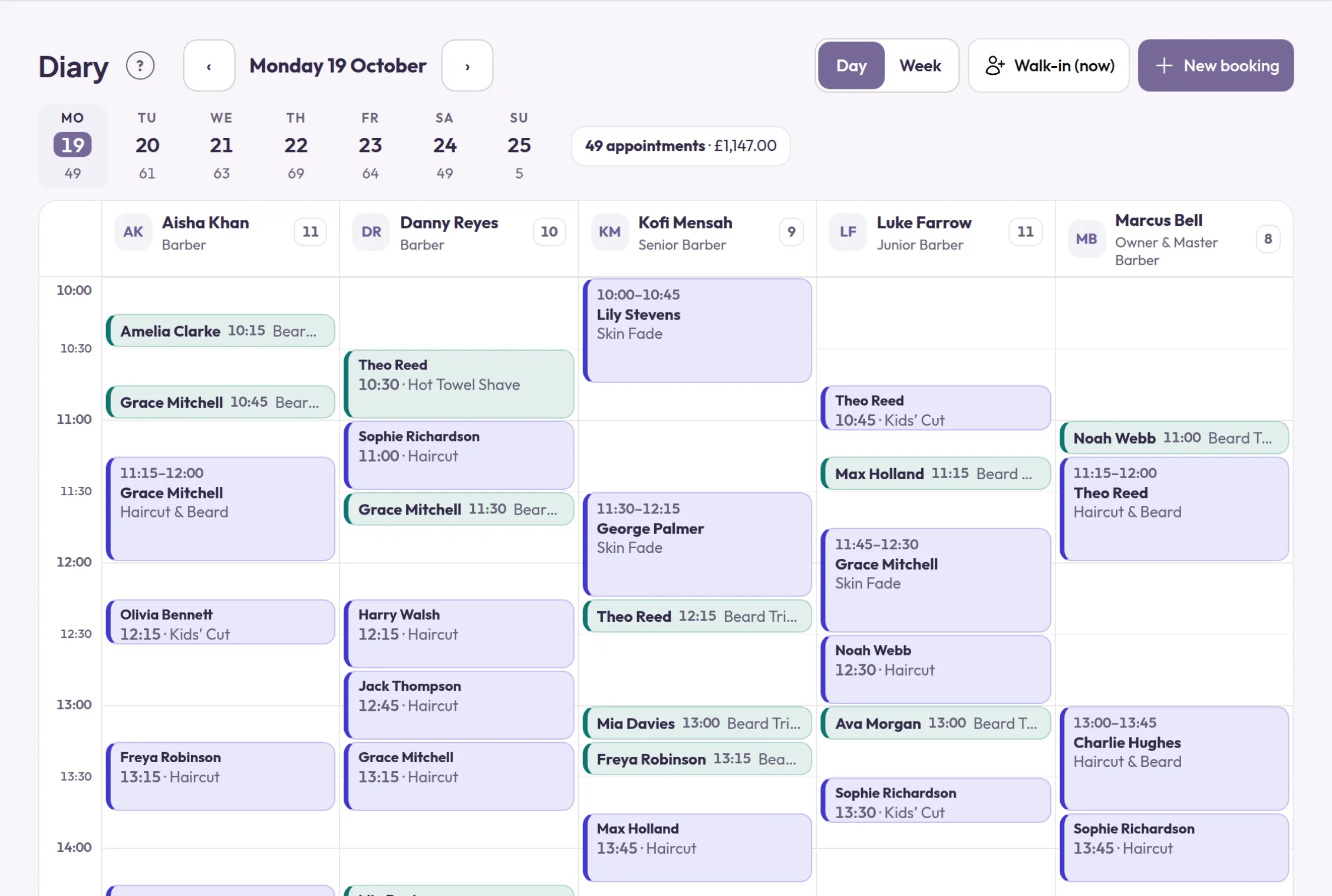
The Diary
Your day on one screen, with a column for each person. Drag a booking to move it, and every screen updates at once.
-
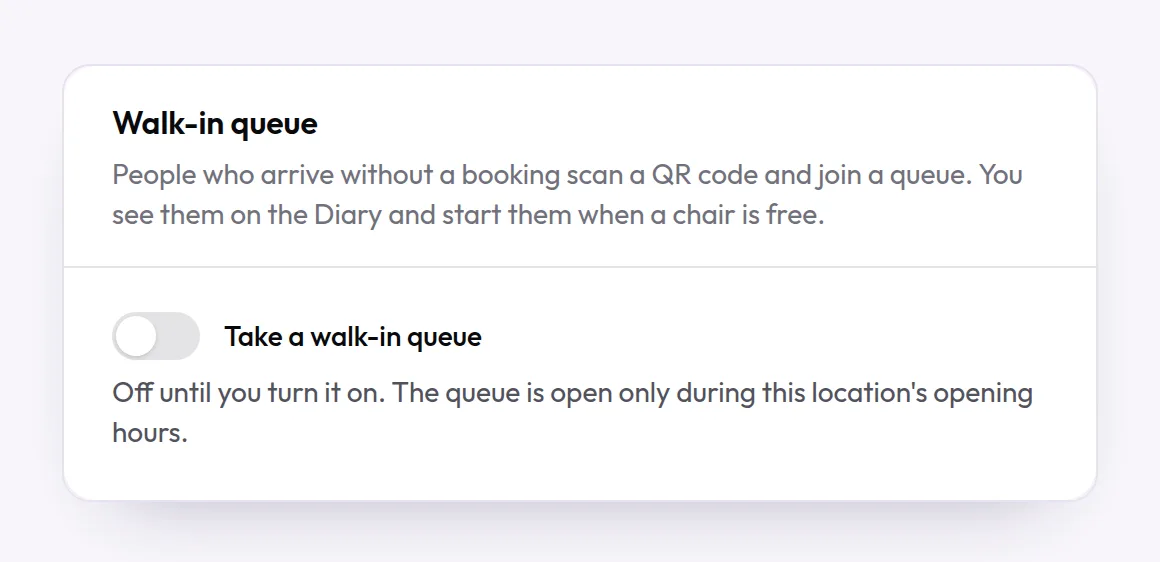
Walk-in queue
Customers scan a QR code, join the queue and follow their place on their phone. You start them from the Diary.
Off until you switch it on.
-

Staff calendar
See who is working this month at a glance, and tap a day to open that person's day.
-
Book for a customer
Take a phone booking from the Diary by selecting a free space. The customer gets the same emails as an online booking.
-
Walk-ins
Book someone who has just walked in, with today's next free time filled in and no email address needed.
-
Working hours for each person
Set each person's own hours. A day without hours is their day off, and nobody can book them then.
-
Time off
Record holidays, sickness and other absences. Staff can ask for time off, and you are emailed about it.
-
Clear-up time and gaps
Keep a person free after a service, or let them see someone else during the wait in the middle of one.
-
Visits to the customer
For work done at the customer's address: the travel time between visits is kept free, and you set how far you go.
-
Rooms
Record which room or chair an appointment uses. Two bookings can never share one at the same time.
-
Opening hours and closed days
Opening hours for each location, and one-off closures for bank holidays. Nobody can book them.
Take bookings your way
A booking page that is yours alone, with the services, people and times you choose.
-
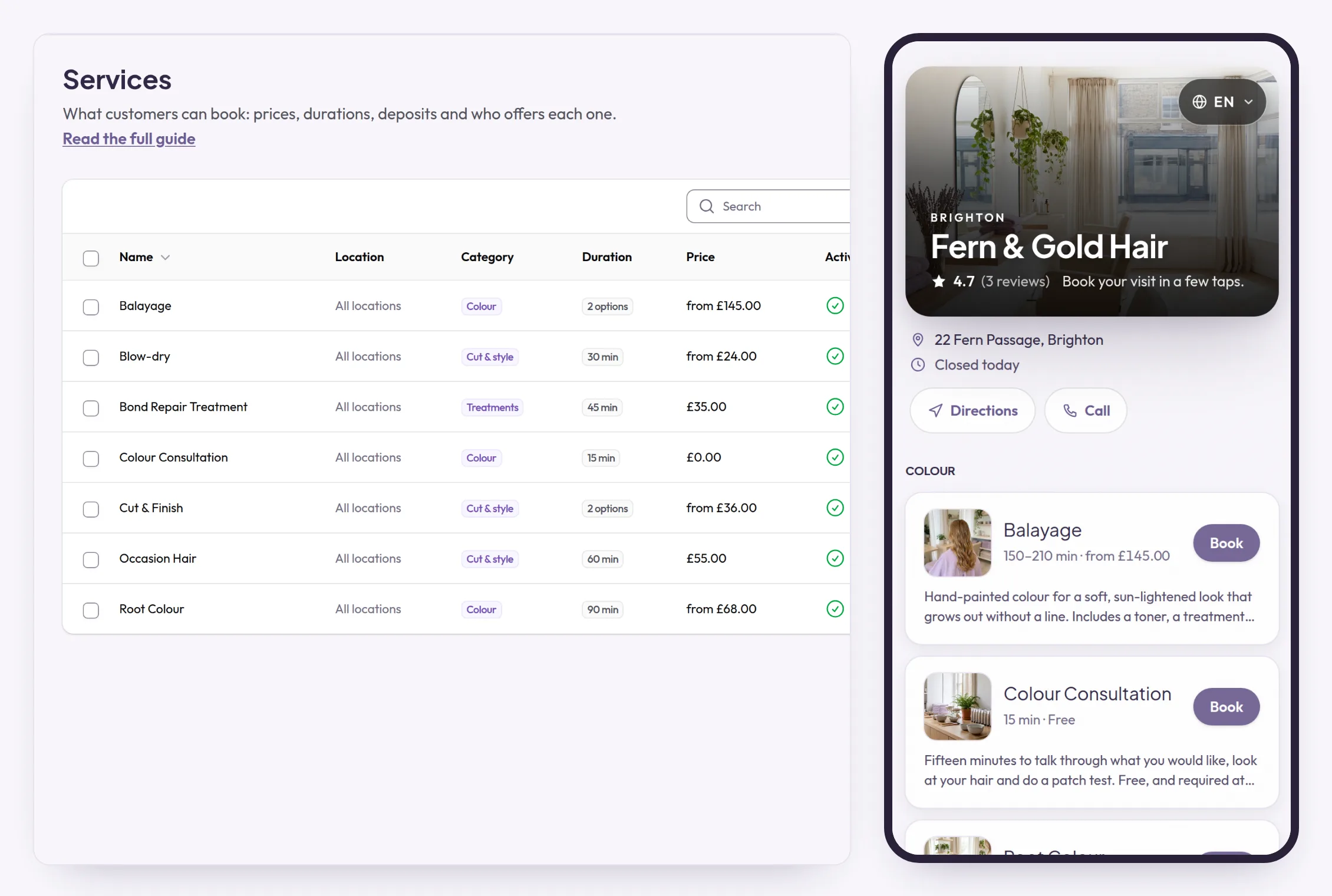
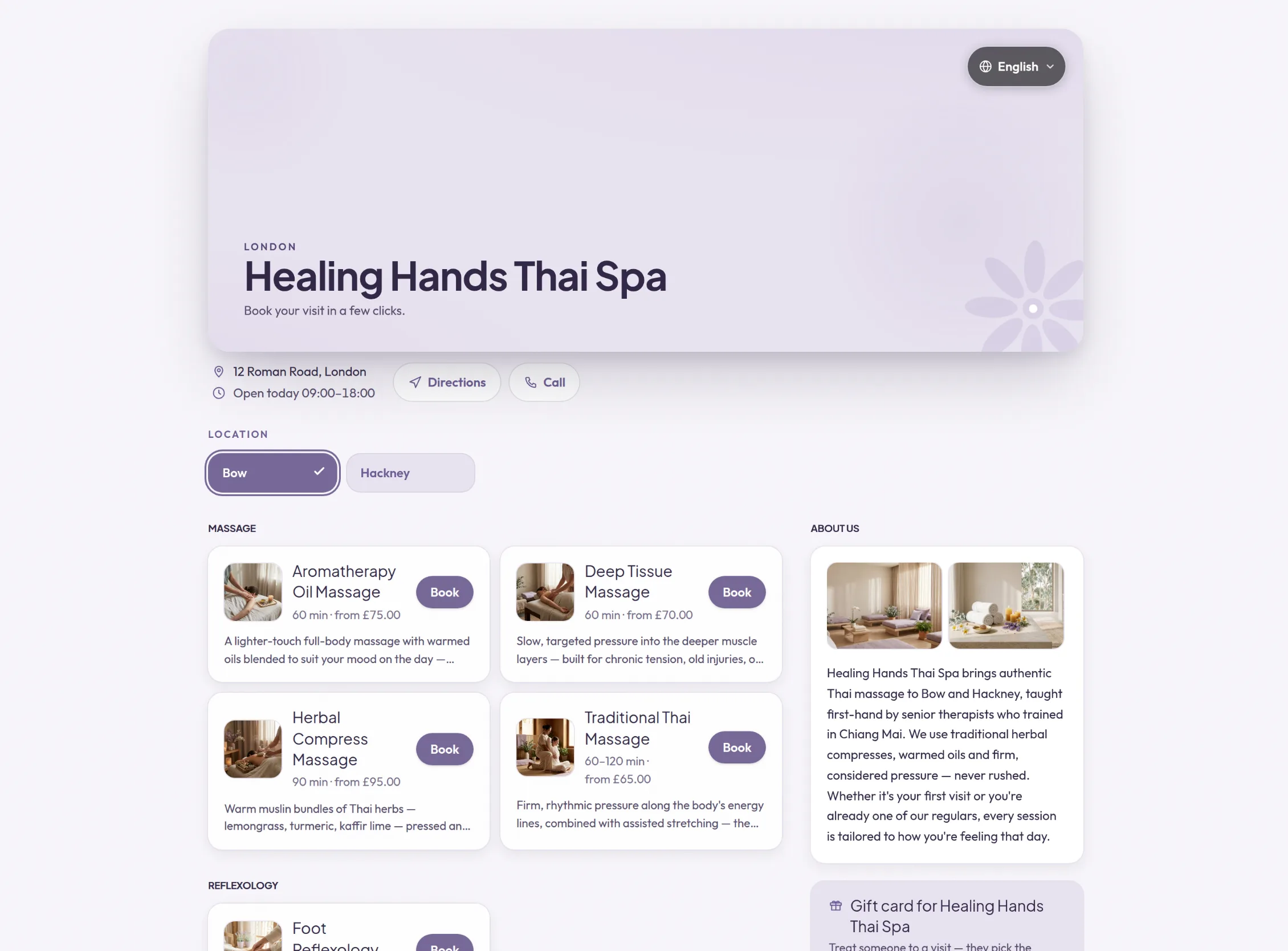
Your own booking page
Your name, photos, team, reviews, opening hours and a map, with only your business on it and bots kept out.
How it works: Your own booking page See it: Your own booking page
-
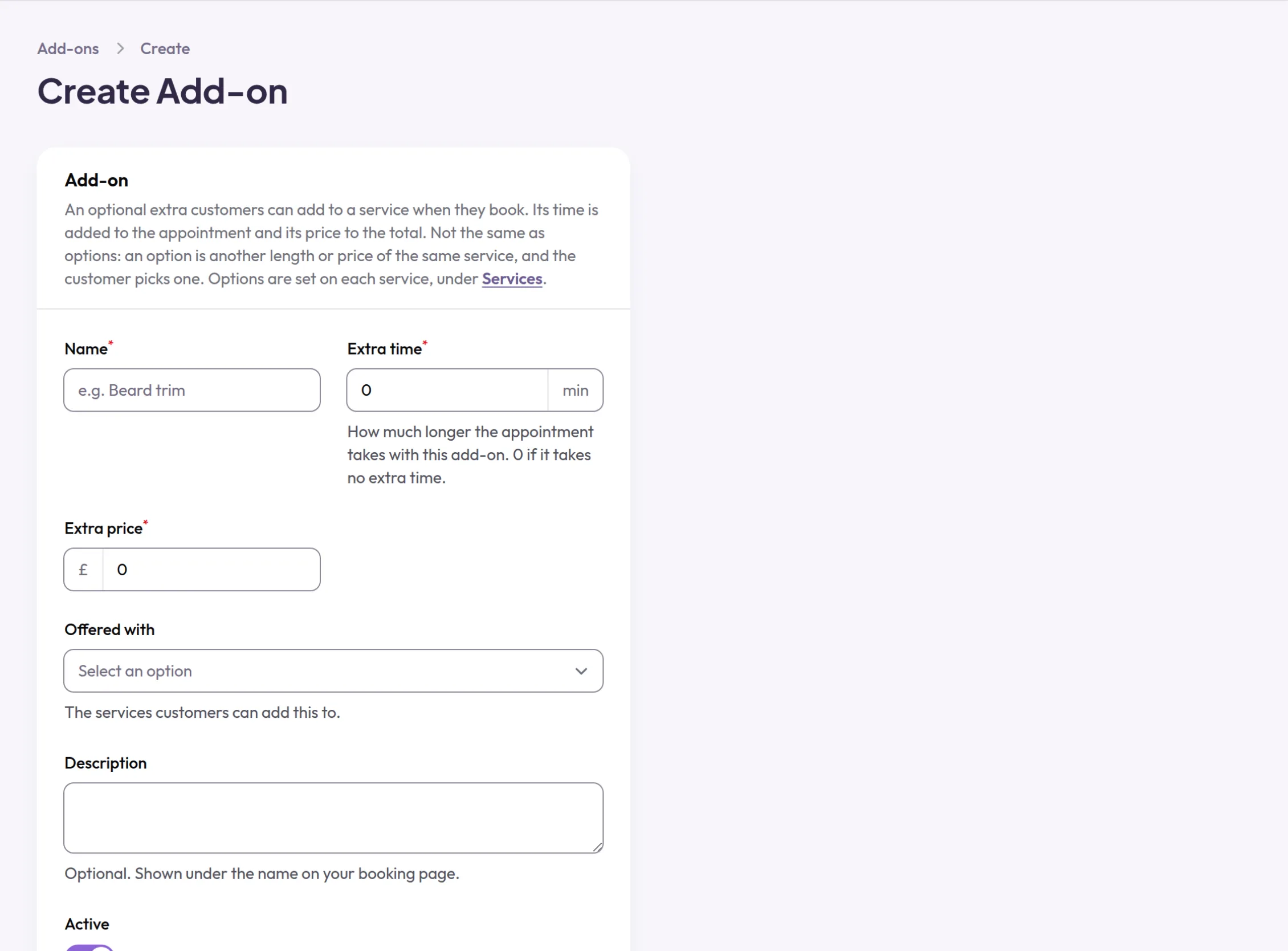
Add-ons
Optional extras on a service, each adding its own time and price to the booking.
-
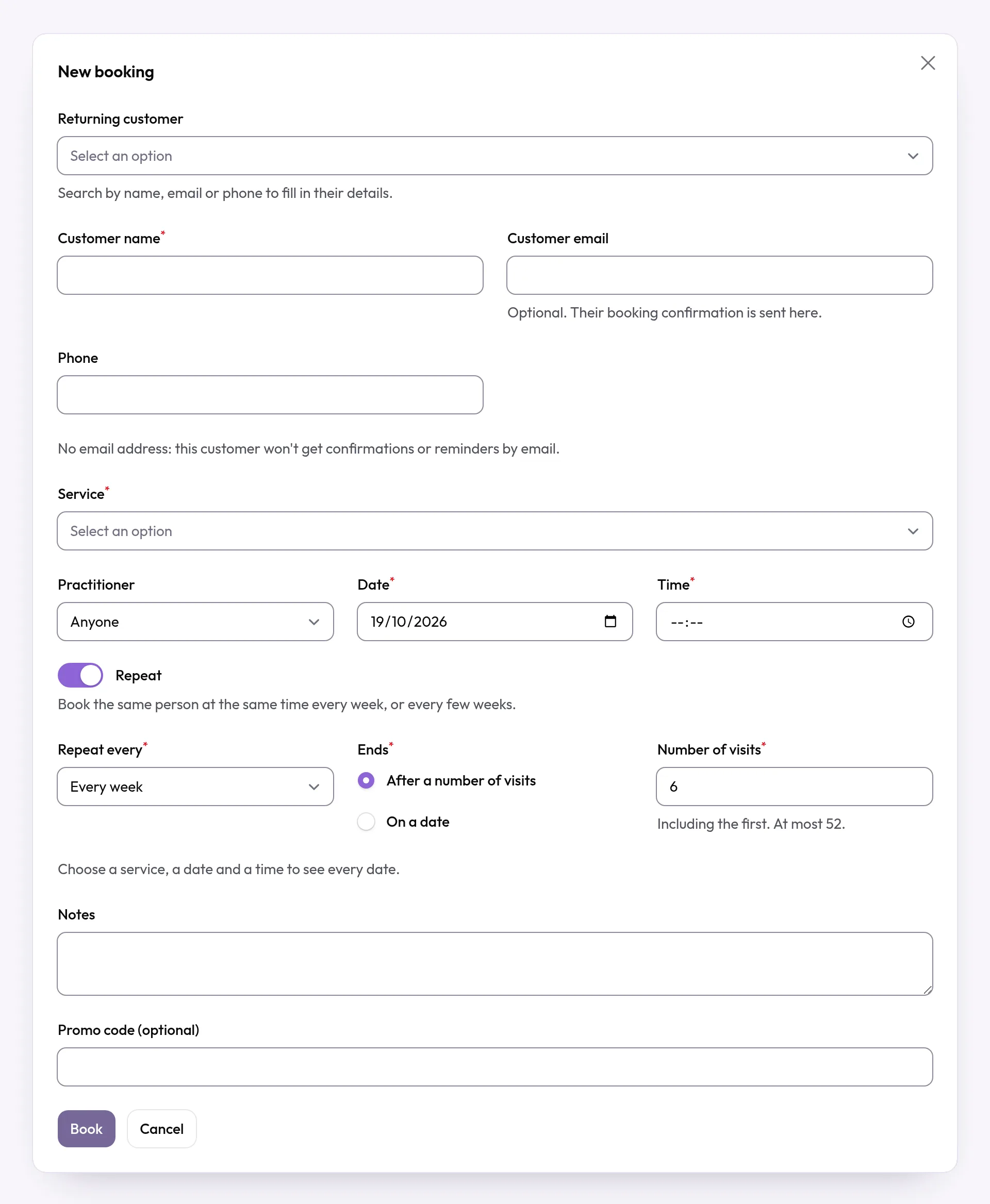
Recurring bookings
Book the same time every week, or every few weeks, in one go. The customer gets one email with every date.
-
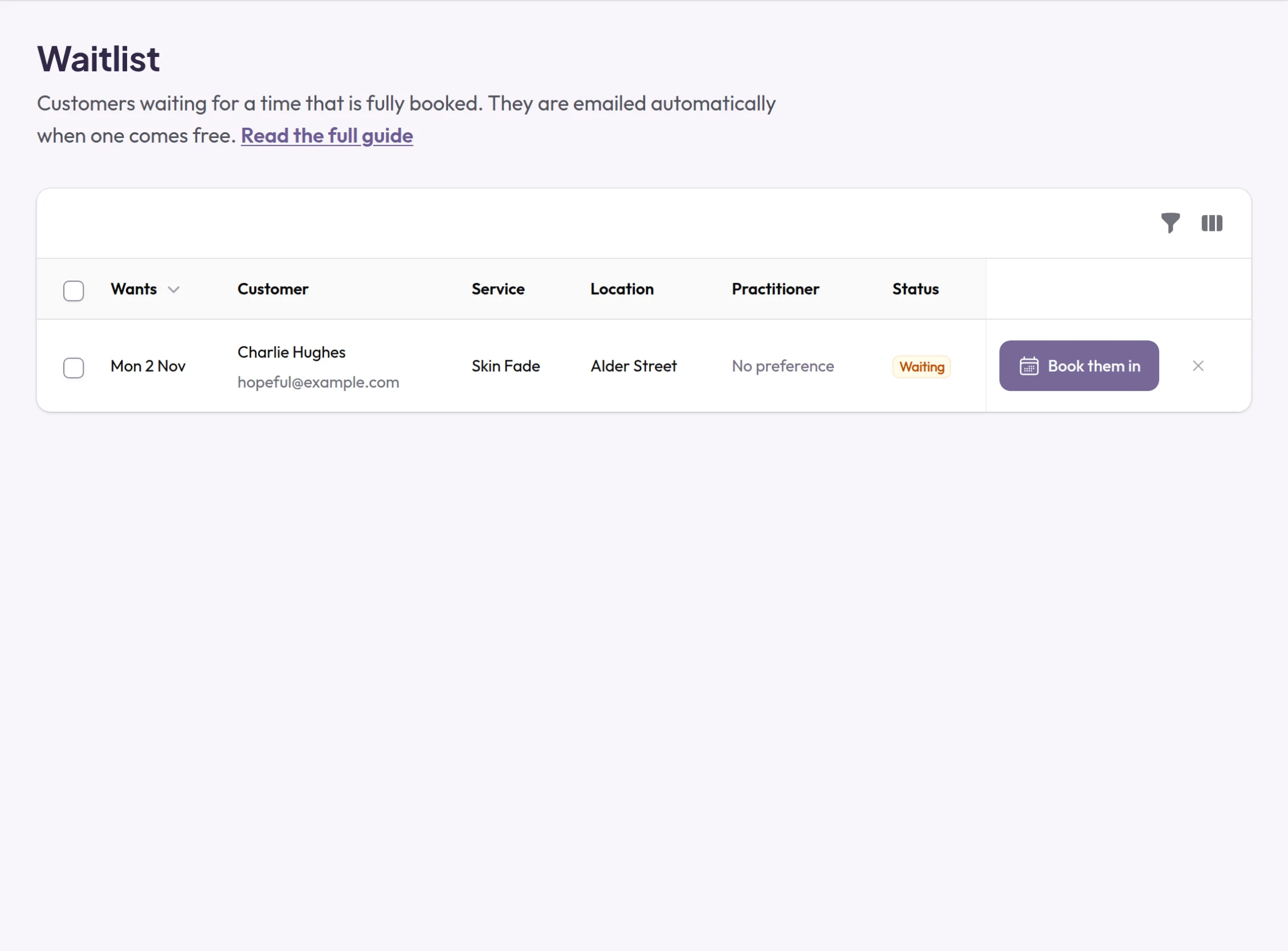
Waitlist
Customers join the waitlist for a day, not a time. A freed time is kept for one person until the time in their email, then offered to the next.
-
Several services in one visit
Customers add more than one service and pay once, and friends can book together.
-
Service options
One service with several lengths and prices, instead of a long menu of near-identical entries.
-
A named person, or anyone free
Customers choose who they see or take the earliest time. A senior can charge more than a junior for the same service.
-
Customers move or cancel themselves
From their own booking page, outside the cancellation window you set, and they can add the visit to their calendar.
-
Private address
Working from home? Customers see only your town until their booking is confirmed.
-
AI receptionist
Connect the AI call service you choose to your live services, prices and free times, so it can book for you.
Off until you switch it on.
Rules, forms and consent
Decide who can book what, and collect the answers you need before the visit.
-
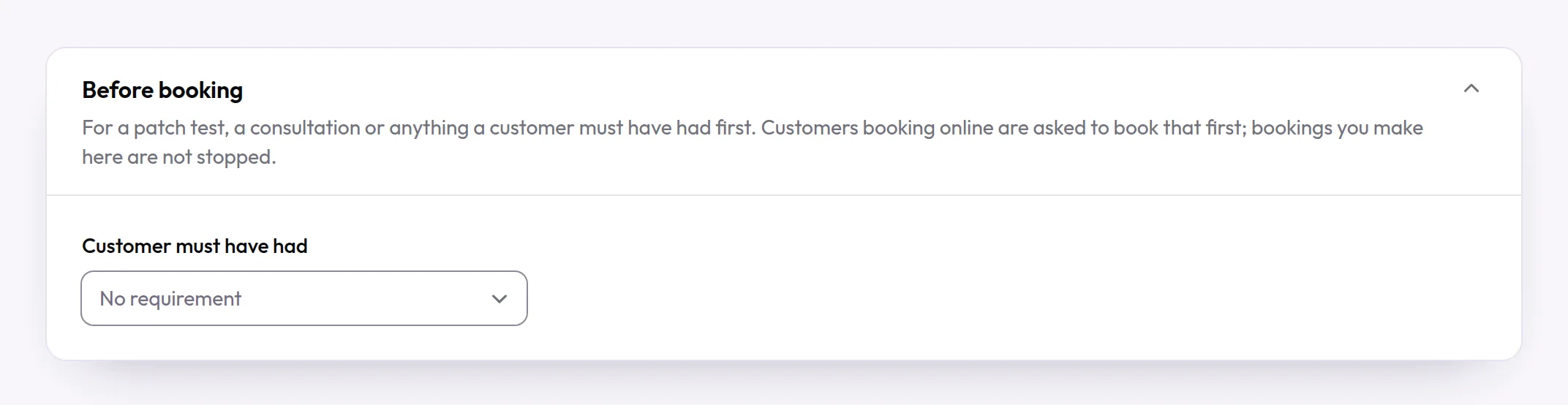
Rules before booking
A service can need an earlier visit first, such as a patch test or a consultation, within the days you choose.
How it works: Rules before booking See it: Rules before booking
-
Approve bookings yourself
Every booking, new customers only or chosen services can wait for you to accept or decline them.
-
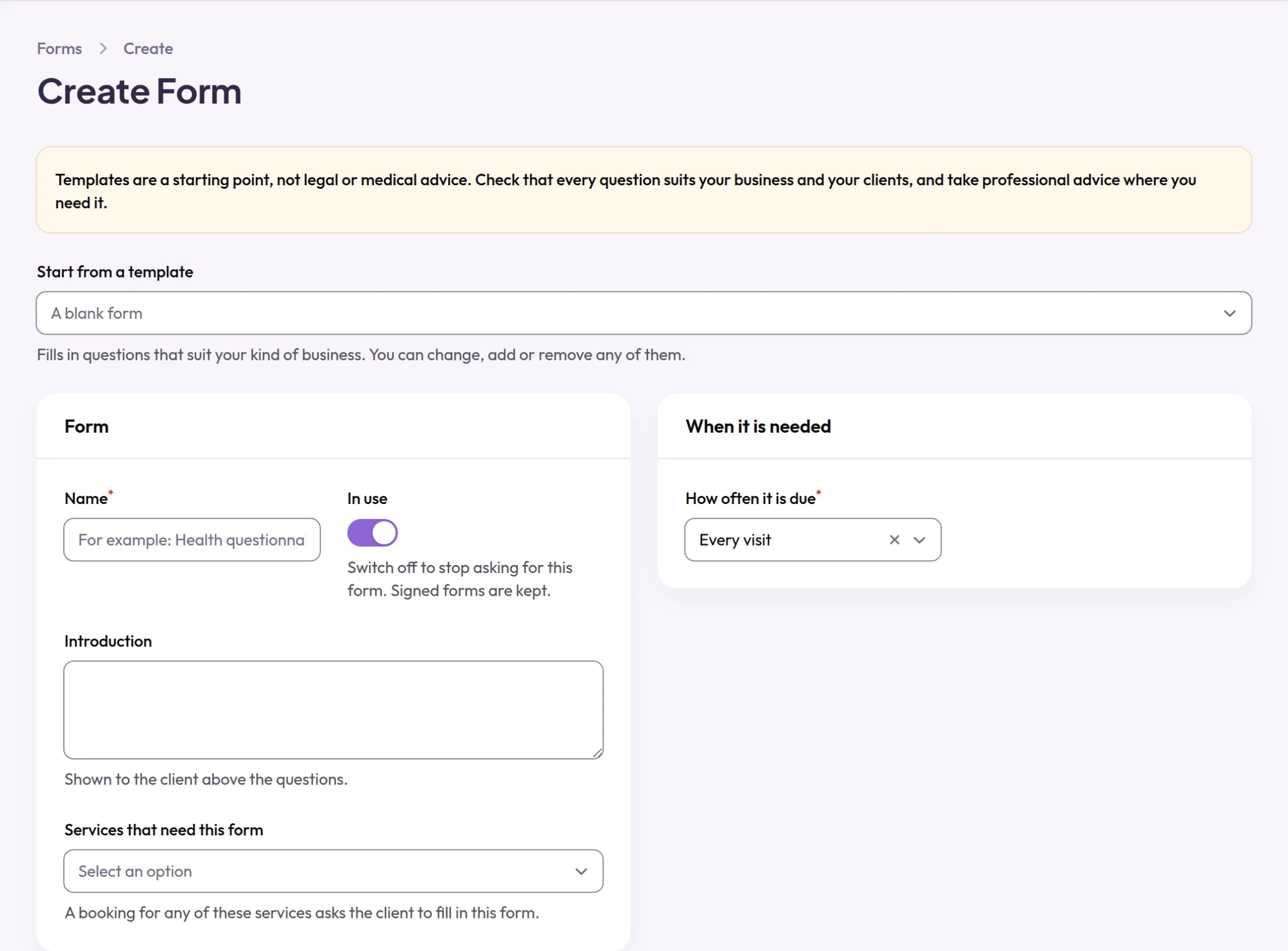
Forms and consent
Health questions and signatures, filled in online before the visit and attached to the services that need them.
Get paid, and protect your time
Deposits, saved cards and prepaid sessions, paid into your own Stripe account.
-
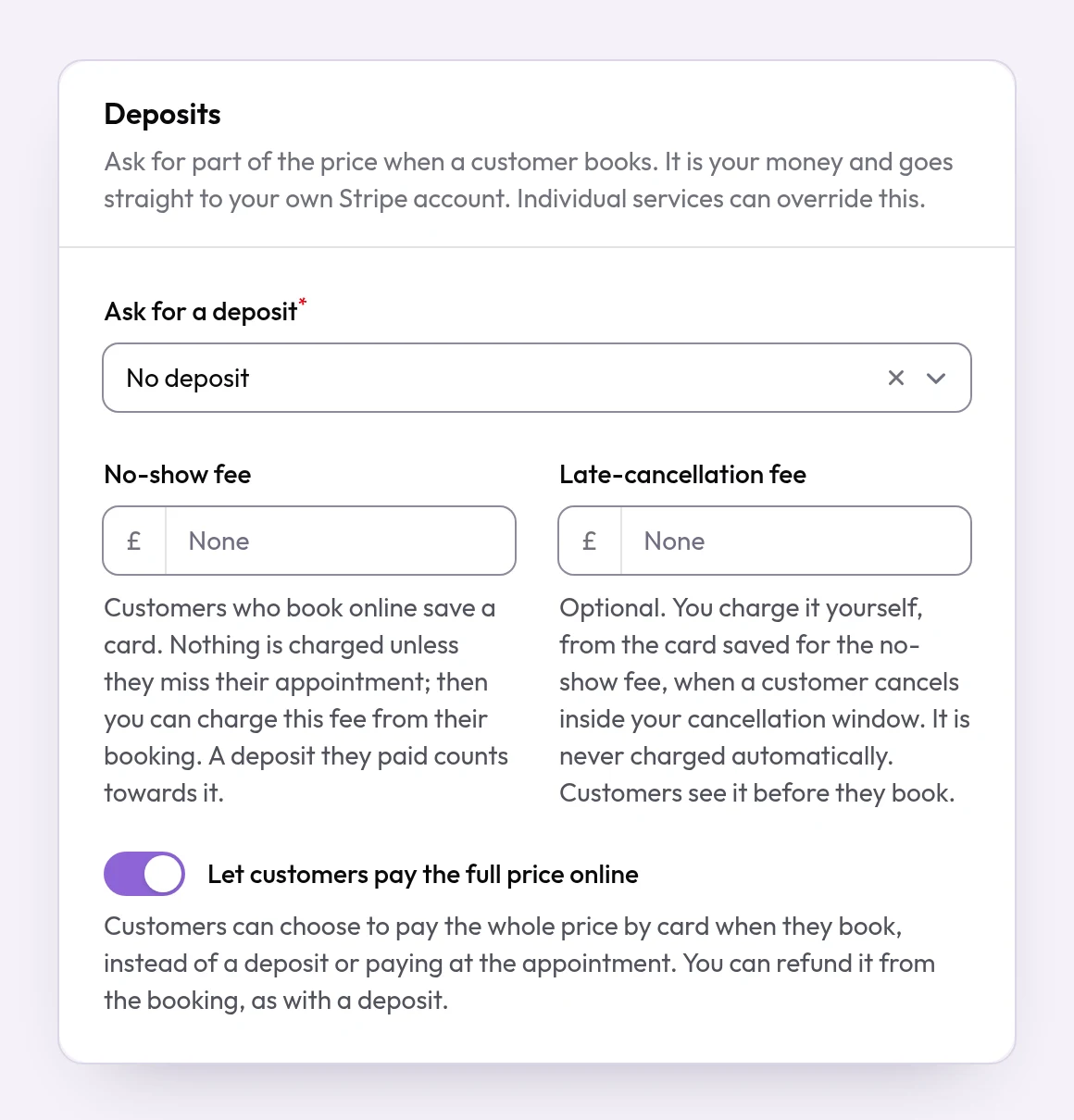
Deposits
No deposit, a percentage or a fixed amount, paid by card straight into your own Stripe account.
-
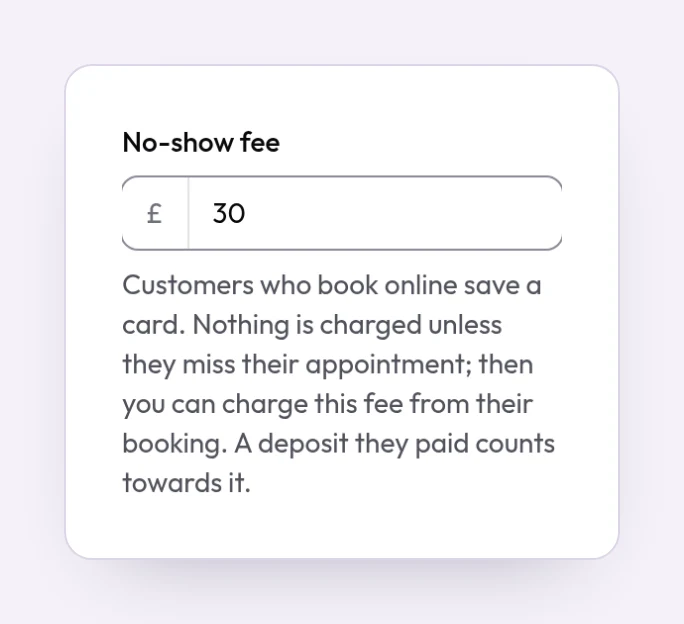
Card holds and no-show fees
Save the customer's card when they book, and charge a fee only if they miss the appointment.
-
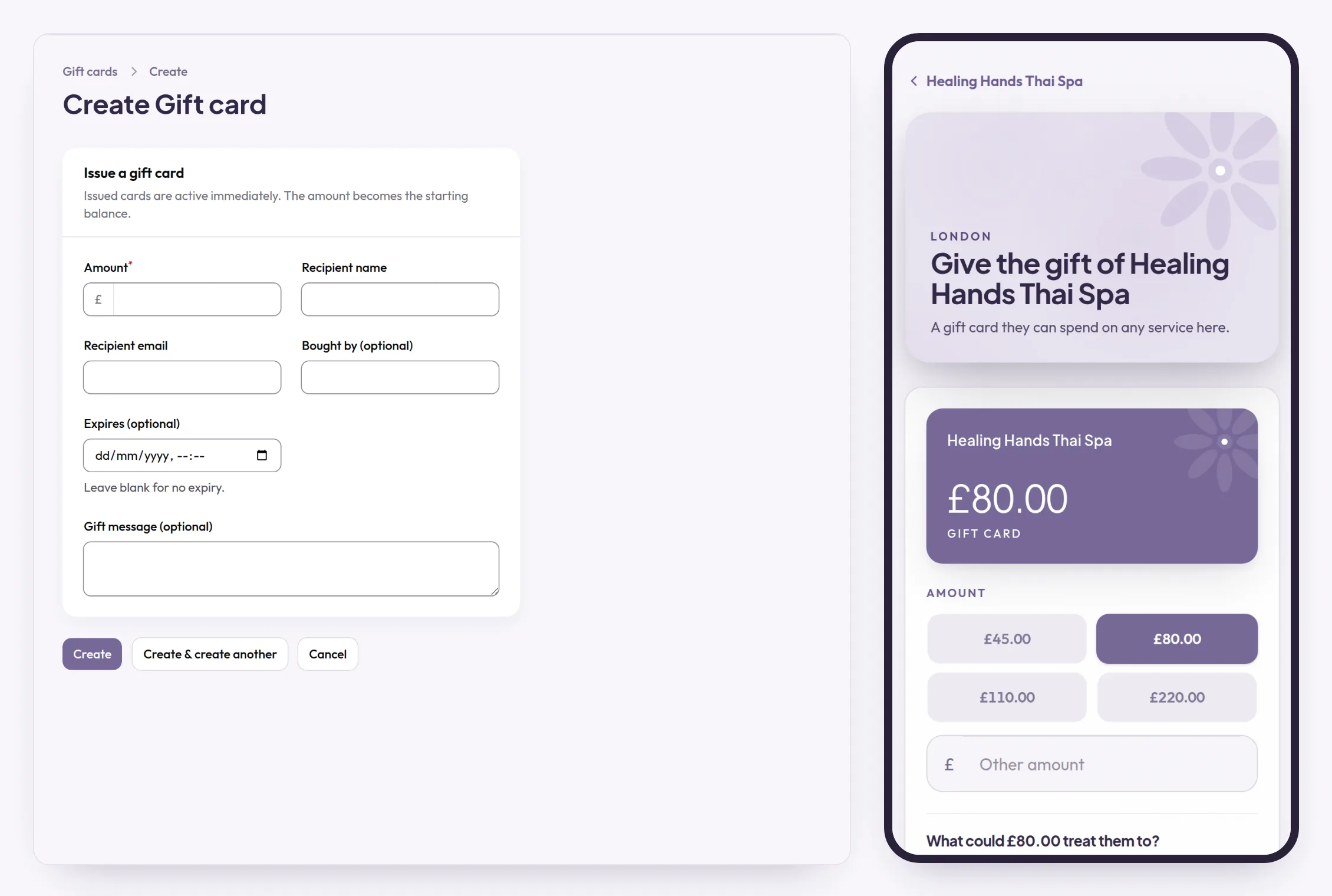
Gift cards
Sell gift cards on your booking page or issue your own. Customers spend them on bookings.
-
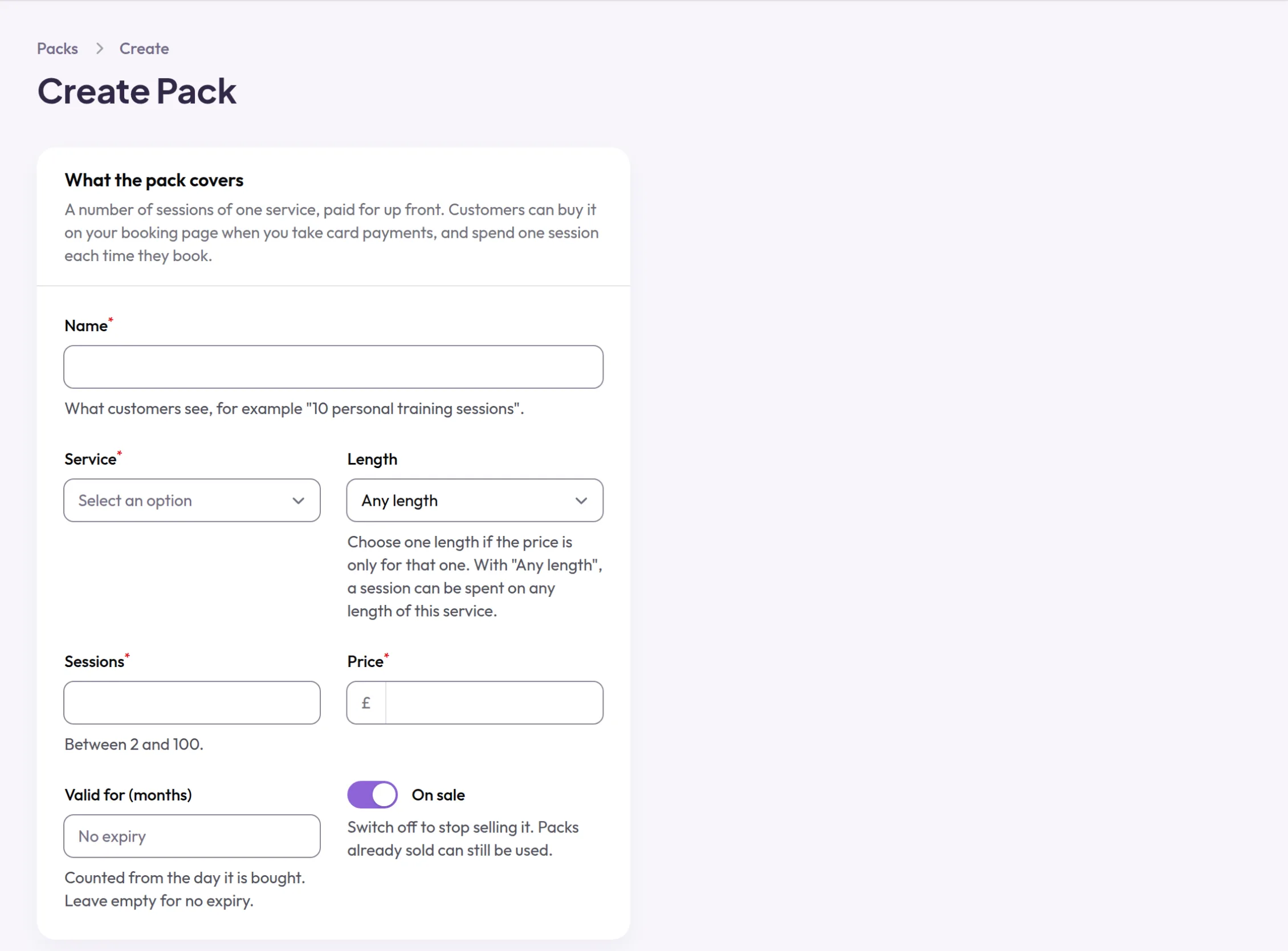
Session packs
Sell a pack of sessions at a price you set. Each booking uses one, and customers see what is left.
-
Pay in full online
Let customers pay the whole price when they book, instead of a deposit.
-
Deposit refunds
Refund a card deposit from the booking, back to the customer's card.
-
Tips by card
Customers can leave a tip by card after their visit, paid straight into your Stripe account.
Off until you switch it on.
-
Promo codes
Money off by a percentage or a fixed amount, with the limits you choose.
-
Loyalty points
Customers earn points on completed visits and spend them on a later deposit. You set the rate.
Off until you switch it on.
-
17 currencies
Price your services and take deposits in the currency you actually trade in.
Keep customers coming back
Reminders, reviews and a client list that remembers what you need to know.
-

Client list
Everyone who has booked, with their visits, spending and your private notes. Export it whenever you like.
-
Customer accounts
Customers see all their bookings and book again, signing in with a code, a link, Google or Apple.
-

Confirmations and reminders
Emails go out by themselves: a confirmation with a calendar file, a reminder the day before, and every change.
-
Reviews with photos
Customers review their visit, with photos and video. Only customers who came can review, so every review on your page is real.
-
Recalls
Remind customers when it is time to book a service again, a set number of weeks or months after their last visit, by email and by text where they agreed to texts.
Off until you switch it on.
-
Text reminders
Text message reminders and change notices to UK mobiles, alongside the emails. Coming soon.
-
Phone notifications
Booking notices on your team's and your customers' phones, through the Appoint Me apps. Coming soon.
-
Tracking links
A link for each flyer, post or QR code, so you can see which ones bring in bookings.
-
Recommend another business
When a business you recommend starts paying, you each get £100 of credit.
-
Customers control their data
Customers can download their data or delete their account themselves, at any time.
More than one location
Every location in one account, with figures for each or for the whole business.
-
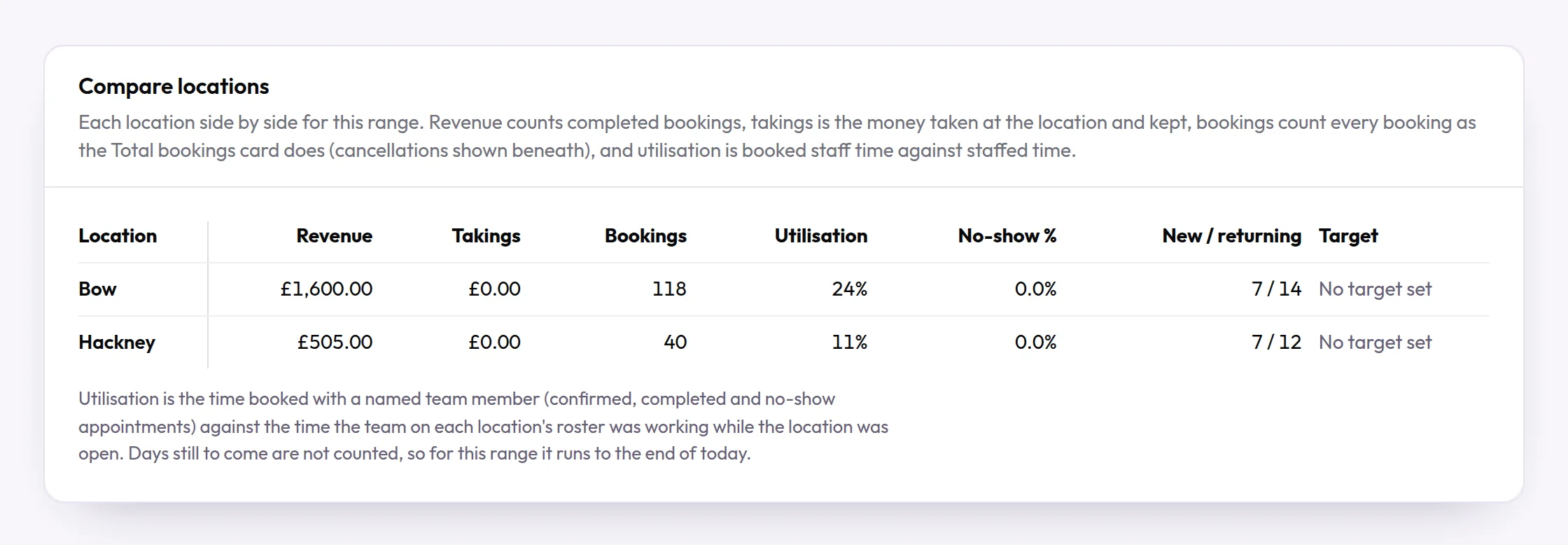
Several locations, one account
Switch between locations in one tap, and read your figures for each one or for the whole business.
-
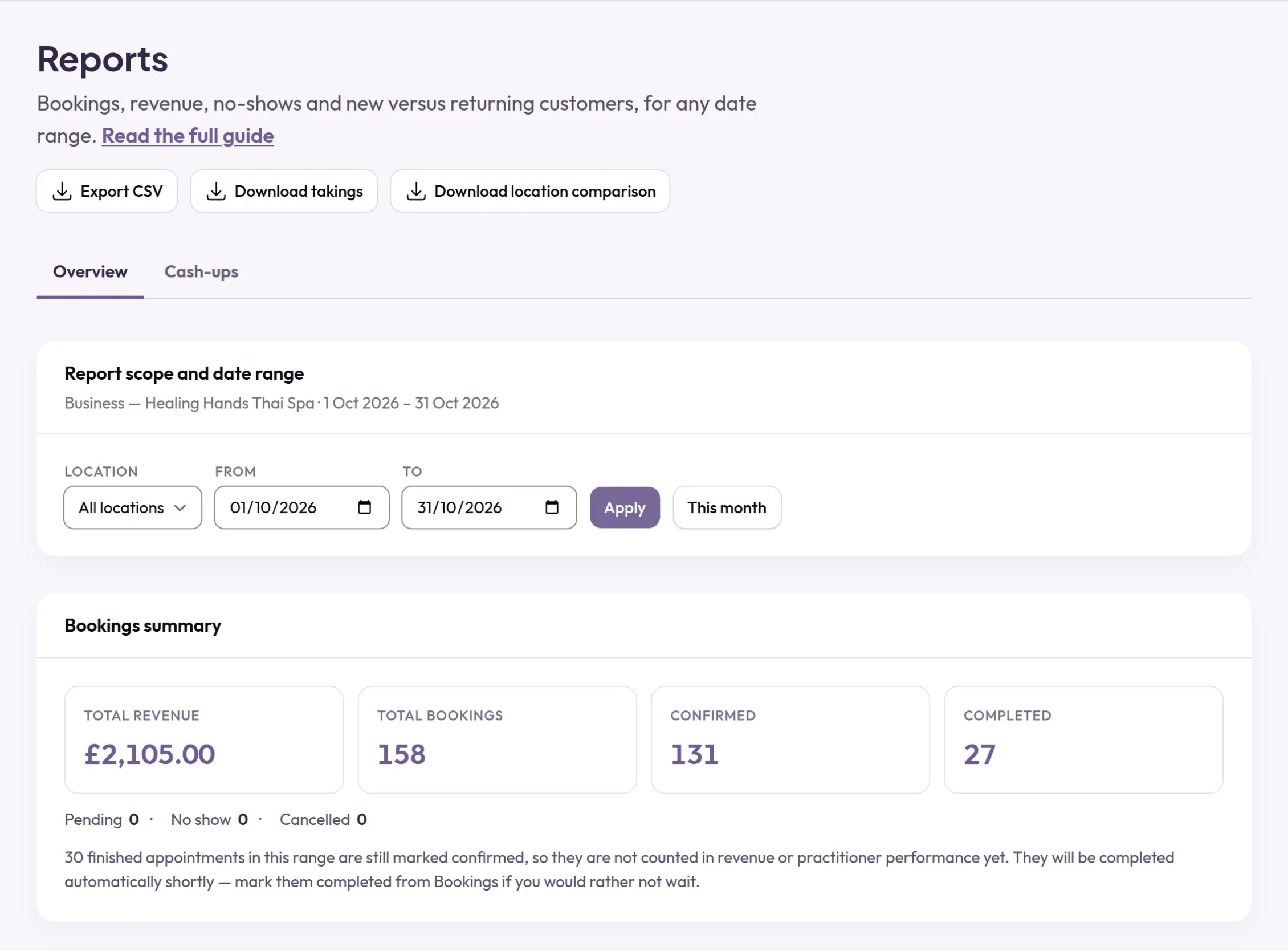
Reports
Bookings, revenue, new and returning customers, no-shows and each person's figures, for any dates.
-
People at another location
Put someone at your other location on the dates they work there, and only those dates.
-
Groups of businesses
Reports across separately run businesses in a group, by country or region. We set it up with you.
Your team
Logins, schedules and calendars for the people who do the work.
-
Logins for your team
Invite each person to see their own schedule and ask for time off. Sign in with Google or Apple.
-
Schedules on every phone
Each person can subscribe to their own schedule in the calendar app on their phone or laptop.
-
Help on every page
Each page of your panel says what it is for and links to a step-by-step guide.
-
Start from an example
Add a ready-made set of services for your kind of business, then change them to suit you.
Your brand, in every language
Your page in your customers' language and currency, in your colours, light or dark.
-
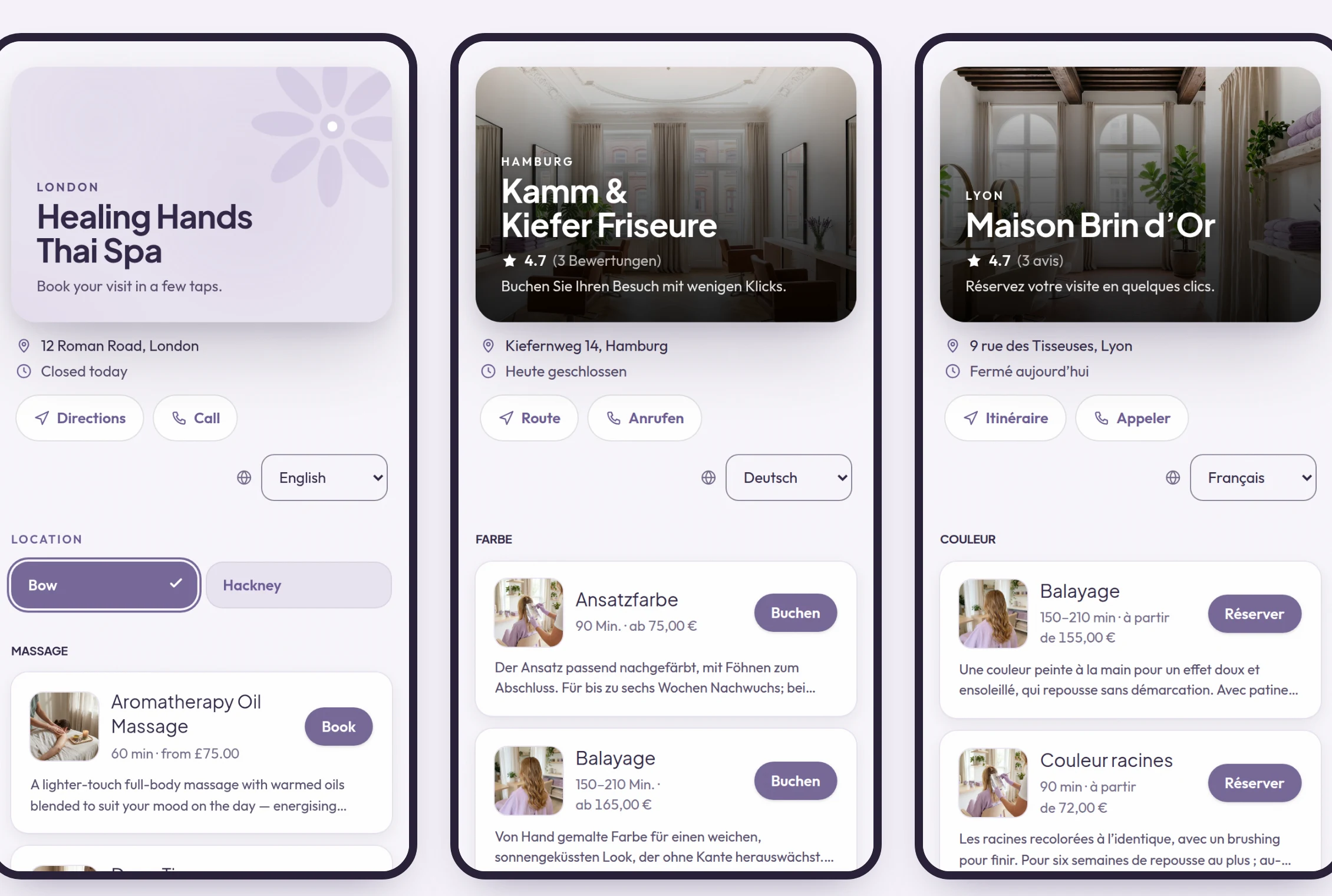
19 languages
Your booking page speaks your customers' language, not just yours: English, Polish, Thai, Vietnamese and 15 more.
-
Your colours, light or dark
Five colour themes for your page and your panel, each in light and dark. Every login keeps its own choice.
-
Free switching service
Send us your old system's exports and we rebuild your clients, diary and history for you, free.
-
Phone apps
Appoint Me apps for businesses and for customers, on iPhone and Android. Coming soon.
Try it with your own business
Set up your services and team, and share your booking link the same day.
Get started