Help centre · Payments
Session packs
A session pack is a set number of sessions of one service for one price. Customers book each session with their pack, with nothing more to pay.
When you would use it
Use packs for courses of appointments: a block of physiotherapy, a set of lessons or a run of training sessions.
How to set it up
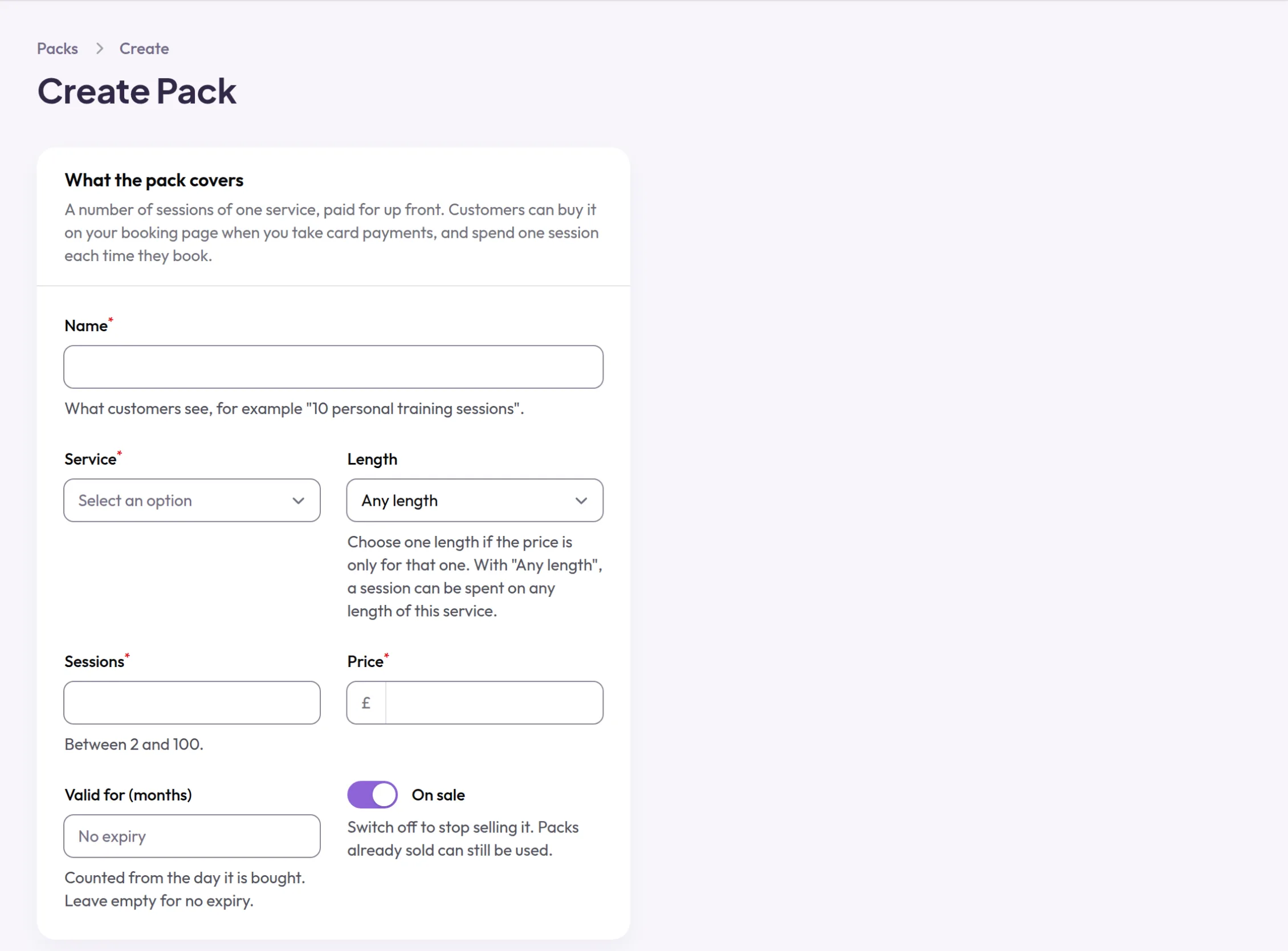
- Open Packs and add a pack. Enter the Name, choose the Service and, if it has options, the Length.
- Set the number of Sessions and the Price. If packs should expire, enter Valid for (months). Leave On sale on to sell it.
- With Stripe showing Ready, customers can buy packs on your booking page.
- To sell a pack at the desk, open Sold packs and select Record a desk sale. Choose the Pack and enter the customer's name and email address or phone number.
- When you book in the Diary, choose the customer's pack under Pay with a pack. On an existing booking, use Pay with a pack.
- When you cancel a booking paid with a pack, choose Give the session back to their pack to return the session.
What your customers see
Customers buy a pack on your booking page. When they book that service while signed in with a verified email address, they can use one of their sessions instead of paying. Their account shows their packs and how many sessions are left. Add-ons are paid for on the day.
Examples from different trades
- PhysiotherapistSell a block of six follow-up sessions, valid for six months, after a first assessment.
- Personal trainerSell ten one-hour sessions at a lower price per session than booking one at a time.
- Driving instructorRecord a desk sale when a pupil pays for ten lessons by bank transfer, then book each lesson from the pack.