Help centre Customers
Recurring bookings
Book a series of visits on the same day and at the same time every week, or every few weeks, in one go. Each date is checked first, and the customer receives one email with every date.
When you would use it
Use it for regular customers who come at the same time: weekly lessons, a course of sessions or a groom every few weeks.
How to set it up
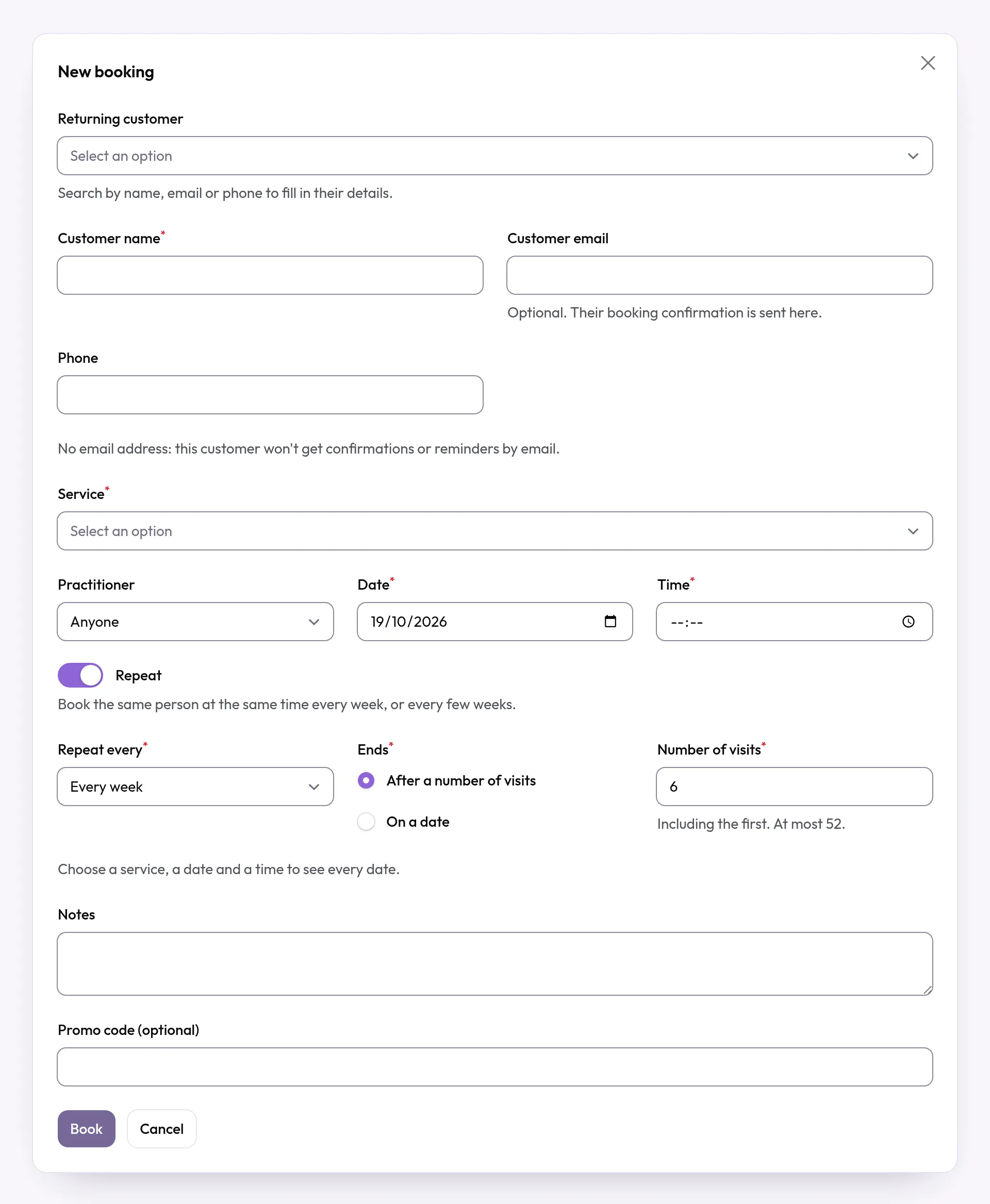
- In Diary, select New booking and fill in the booking as usual.
- Turn on Repeat. Choose Repeat every, then under Ends choose either After a number of visits and the Number of visits, or On a date and the Last date. A series can have up to 52 visits, every one to eight weeks.
- Check the Dates. A date that is not free is not moved to another time: it is left out and shown to you.
- Book the visits. To repeat an existing booking instead, open it under Bookings and use Repeat.
- To cancel, open a visit and select Cancel visit. You can cancel Only this visit, or this visit and every later one.
What your customers see
Customers receive one email listing every date, with a calendar file to add them all at once. Each visit shows as one of the series, for example visit 2 of 6. Customers cannot set up a series themselves: your team books it.
Examples from different trades
- TutorBook a weekly lesson for the whole term in one go, and see straight away which weeks clash with a closure.
- PhysiotherapistBook six weekly rehabilitation sessions at the end of the first assessment.
- Dog groomerBook a regular's groom every six weeks for the next year.