Blog · Getting set up
How to set up your service menu for online booking
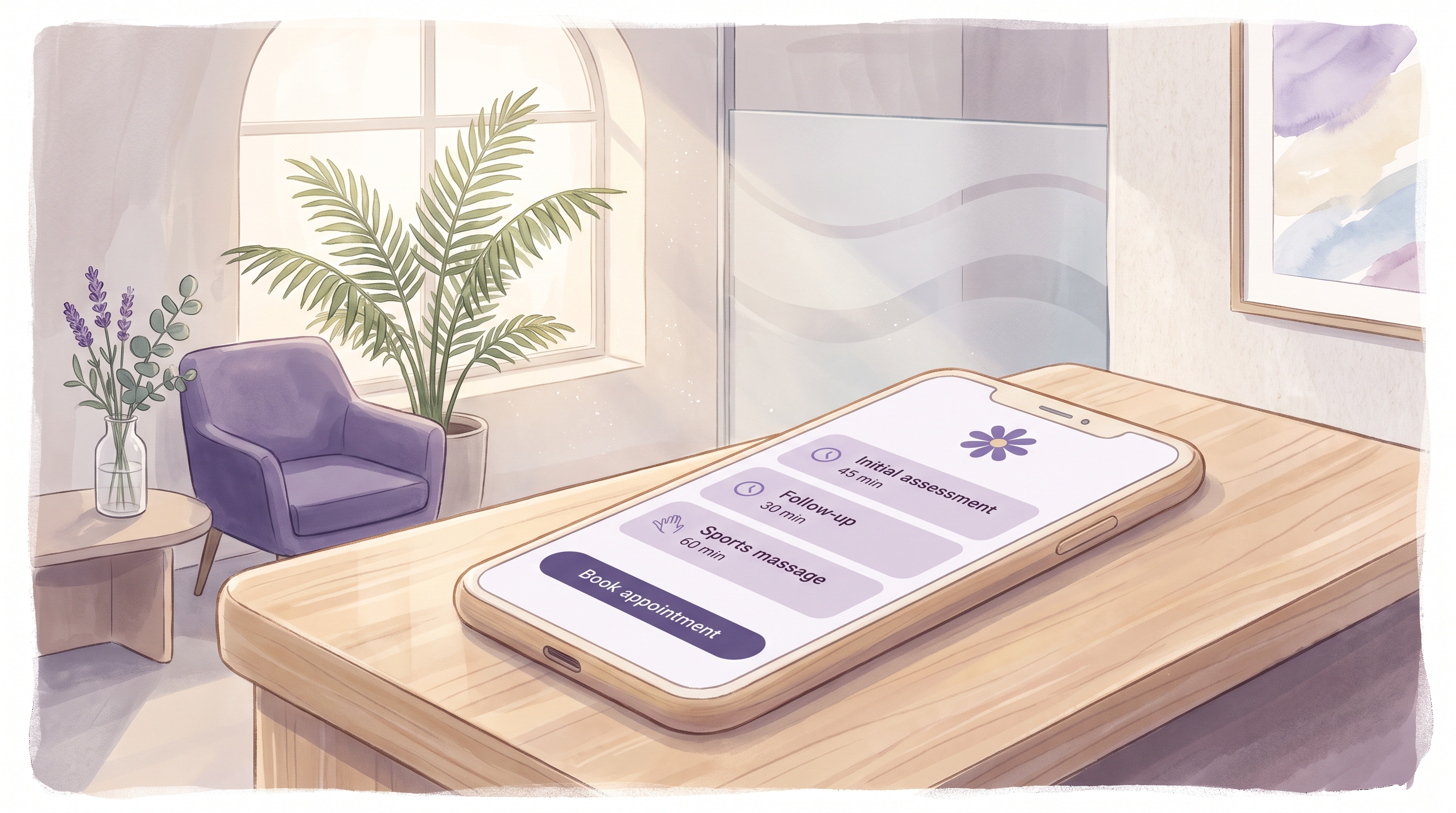
A physiotherapist in Bristol opens her online booking page for the first time and, within a week, most new patients are choosing "Initial assessment, 45 minutes" without her explaining a thing. The menu did the explaining for her. That is what a good service menu does.
A service menu built for online booking has a short list of clearly named services, each with a duration the diary can trust, grouped under a few plain headings, and worded the way a client would say it out loud. Get those four things right and clients book the correct thing first time, the diary stays accurate, and the front desk stops answering the same question all day.
What should a service menu for online booking include?
Every service needs four pieces of information before it goes live: a name a client recognises, a duration the diary can rely on, a category so the list stays short on a phone screen, and a sentence of description for anything that is not obvious from the name. Price is a fifth item that some businesses show and some hold back, and the right answer depends on your trade.
| Field | What it does | Example |
|---|---|---|
| Name | Tells the client what they are booking, in their words | Skin fade |
| Duration | Tells the diary how long to block out, including tidy-up time | 30 minutes |
| Category | Keeps the list scannable on a small screen | Haircuts |
| Description | Answers the one question the name leaves open | "Includes a wash and finish" |
| Who can do it | Only shows staff who are trained for that service | Two of four barbers |
Booking software such as Appoint Me stores all of that against each service, so the online page, the staff diary and the reminder message all read from the same record. Change the duration once and every future booking picks it up.
How do you name services so clients pick the right one?
Name each service the way a client would describe it to a friend. A barber's list reads "Skin fade", "Beard trim" and "Cut and beard". A physiotherapy clinic lists "Initial assessment" and "Follow-up appointment", because that is what patients type into a search box. A tutor writes "GCSE maths, one hour" rather than "Key Stage 4 numeracy session".
Trade jargon belongs in the description, if anywhere. A dental practice can call the service "Hygienist visit" and put "scale and polish" in the line underneath. A beauty studio that offers three kinds of lash treatment should name them by the result a client is after, then explain the technique below.
Keep names short. On a phone, anything over about five words wraps onto a second line and the list starts to look like a form. If two services have names that differ by one word, a client will book the wrong one eventually, so make the difference obvious: "Colour, roots only" and "Colour, full head" cannot be confused.
When does a service need a description?
Write a description when a new client would otherwise have to ring and ask. "Is a patch test included?" "Do I need to bring my own gum shield?" "Is this for adults or children?" If a question comes up at the desk more than twice, its answer goes in the description. If nobody ever asks, leave the line blank. A blank line is fine; filler is not.
How long should each service be?
The duration you set online is the amount of time the diary blocks out, so it has to include everything that happens between one client leaving and the next one being ready. Time the service on three ordinary days, not your fastest, and add the minutes you spend cleaning down, writing notes or taking payment. A massage therapist who takes 55 minutes on the couch and 10 minutes to change the sheets and wash up is running a 65-minute service, whatever the treatment is called.
Many businesses find it clearer to keep the client-facing duration honest and handle tidy-up with a separate buffer setting, which the diary adds automatically. Either way, the number the diary works from must match what really happens. A menu that says 30 minutes for a service that takes 40 puts every afternoon ten minutes behind by the third client.
Round to the nearest five minutes and be consistent. A list that mixes 25, 40 and 50-minute services next to 30 and 60-minute ones is harder for the diary to pack tightly and harder for a client to compare.
How many services should you list?
Fewer than you think. A menu that scrolls three screens on a phone pushes clients back to the phone line, which is the outcome online booking was meant to remove. The useful test is to look at the last three months of bookings and count how many services account for most of them. Those go on the menu, named plainly and listed first. Rare services can live under a category called "Other" or be handled by a single "Not sure? Book a consultation" option.
Categories do the rest of the work. A wellness studio with twenty-two services becomes manageable at a glance when they sit under "Massage", "Facials", "Body" and "Packages". A tutoring practice might use subject as the category and level as the service. Three to six categories suits most businesses; more than that and the categories themselves become a list to scroll.
Should you show prices on the booking page?
Barbers, salons, beauty studios and tutors usually should. A client who sees the cost before booking arrives without surprises, and a price on the page settles more enquiries than any description. Clinics and therapy practices sometimes prefer a short "from" price, or a consultation-first service where the treatment plan and fee are agreed in person. Whichever you choose, the price shown online must match the price charged at the desk, because a client who spots a difference assumes the higher one is a mistake in their favour.
How do you match services to the right staff?
Set each service against only the people who can deliver it. If one of your three hairdressers does not do colour, colour must not appear when a client picks her. If the junior physio is not yet signed off for acupuncture, that service stays off her online diary until she is. Booking software handles this as a simple tick list per service, and it saves the awkward phone call where a client is told the person they chose cannot do what they booked.
The same setting handles rooms and equipment. A clinic with one treatment room and two practitioners can attach the room to the services that need it, so the diary never double-books the space even when both practitioners are free.
What does a finished service menu look like?
Here is the menu that Bristol physio ended up with, after two rounds of trimming.
| Category | Service | Duration | Description |
|---|---|---|---|
| Physiotherapy | Initial assessment | 45 min | First visit for a new injury or condition. Wear loose clothing. |
| Physiotherapy | Follow-up appointment | 30 min | For existing patients continuing a treatment plan. |
| Massage | Sports massage | 60 min | |
| Massage | Sports massage, short | 30 min | One area only. |
| Other | Not sure? Book a chat | 15 min | A free phone call to work out what you need. |
Five services, three categories, one description where it was needed and none where it was not. The full list of what she can do is longer than this, and she still does all of it. The menu is not a catalogue of her skills; it is the shortest list that lets a client book the right thing without ringing.
Once the menu is live, read the bookings that come in for the first fortnight. If clients keep booking one service and turning up wanting another, the name or the description is not doing its job, and the fix takes a minute. The menu is the one part of your booking page a client reads every single time, so it earns a second look. If you are setting one up for the first time, Appoint Me is built around exactly this kind of service list.
Frequently asked questions
How do I decide the duration for a service I have never timed?
Time it. Do the service on three ordinary days, note when the client arrives and when the room is ready for the next person, and take the middle figure. That gap is the true duration, and it is usually longer than the treatment itself because it includes greeting, notes, payment and tidy-up. Set that as the online duration, or set the treatment time and add the extra minutes as a buffer if your booking software separates the two. Revisit it after a month of real bookings and adjust if the diary keeps running late or leaving gaps.
Should I list every service I offer on the online booking page?
No. List the services that make up the bulk of your bookings, named plainly, and group the rest under a category such as "Other" or behind a single consultation option. A short list is easier to scan on a phone, and a client who cannot find what they want will still get in touch. You can add a service to the menu the moment it starts being asked for regularly. What matters is that the common bookings are obvious and quick to choose.
What is the difference between a category and a service?
A category is a heading; a service is a thing a client can book. "Massage" is a category, "Sports massage, 60 minutes" is a service. Categories exist to keep a long list readable on a small screen and should be few, plain and based on how clients think about what you do. Services carry the duration, the description, the price if you show one, and the list of staff who can perform them. A client never books a category, so it does not need a duration or a price.
How do I handle a service that takes different times for different clients?
Split it into two named services rather than one with a vague duration. "Cut, short hair" and "Cut, long hair" each get an honest time, and the client picks the one that fits. Where the difference is only known once the client is in the chair, set the duration to the longer figure and let the diary fill any gap with a waitlist or a shorter service. A single service with a duration that is right only half the time will put the diary out on the other half.
Can I show different services for different staff members?
Yes, and you should. Good booking software lets you tick which staff can perform each service, so a client who chooses a particular person sees only what that person offers. This stops a client booking a treatment with someone who is not trained for it, and it means a new team member can be added with a short menu and have services switched on as they qualify. The same setting can be used for rooms and equipment where a service depends on a specific space.
Should I put prices on my online booking page?
For most salons, barbers, beauty studios and tutors, yes: clients expect to see a price before they book, and it removes a common reason to ring. Some clinics and therapy practices prefer a "from" price or a consultation-first approach where the fee is agreed once the treatment plan is known, and that is a fair choice as long as the page says so. Whatever you show online has to match what is charged in person, because a mismatch damages trust faster than almost anything else on the page.
How often should I review my service menu?
Check it a fortnight after it goes live, then every few months. Look at which services are being booked, which never are, and whether clients are arriving expecting something different from what they chose. Remove or rename anything that causes confusion, retire services that have not been booked in a quarter, and check durations against how the diary is actually running. A menu review takes about twenty minutes and is one of the few admin jobs that directly changes how smoothly the week goes.
Related reading

How much buffer time should you leave between appointments?
How long to leave between appointments, service by service, and how booking software adds the gap automatically.
17 September 2026
Why seeing who's working matters more than the time slot
A booking page that shows which staff are working on a chosen date lets clients land with the person they actually want, every time.
10 September 2026
What to look for in booking software: a checklist for any appointment-based business
The features that matter when choosing appointment booking software: online booking, deposits, reminders, staff diaries, waitlists and reporting.
3 September 2026Run a salon, spa, clinic or practice?
Appoint Me is the feel good booking system for every appointment business.
See what Appoint Me does