Help centre Payments
Card holds and no-show fees
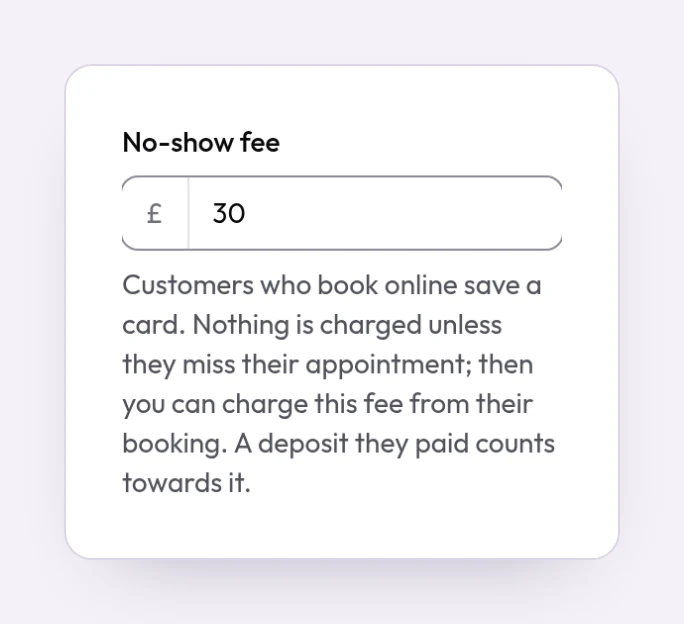
With a no-show fee set, customers who book online save a card. Nothing is charged unless they miss the appointment without cancelling and you choose to charge the fee.
When you would use it
Use it when you would rather not take money up front, but still want a missed appointment to be paid for.
How to set it up
- Make sure Stripe shows Ready under Billing.
- Open Business, go to Deposits and enter a No-show fee.
- Under Policies, set your Cancellation window (hours) and write your Cancellation policy (shown to customers), so customers know the rules before they book.
- When a customer does not come, open the booking under Bookings and set its status to No show.
- Select Charge no-show fee and confirm. If the customer paid a deposit, only the difference is charged, and the fee can be charged only once.
- If the card is declined, a message tells you so, and you need to contact the customer yourself.
What your customers see
Before booking, customers see the fee and are told that their card is saved and charged only if they miss the appointment without cancelling. They save a card on a secure Stripe page, and nothing is charged at that point. If you charge the fee, they receive an email saying so. Bookings you add yourself in the Diary never ask for a card.
Examples from different trades
- Personal trainerSet a fee equal to one session and charge it only when a client misses a session without a word.
- BarberSet a fee equal to a standard cut, so a missed Saturday appointment is still paid for.
- Driving instructorSet a fee for a missed lesson, and write a cancellation policy that gives pupils 24 hours to cancel.