Help centre Customers
Forms and consent
Forms collect the answers and signature you need for an appointment, such as health questions or consent. You attach a form to services, and customers fill it in online after booking.
When you would use it
Use forms wherever you need someone's medical history, consent or confirmation before you start, and to keep a signed copy.
How to set it up
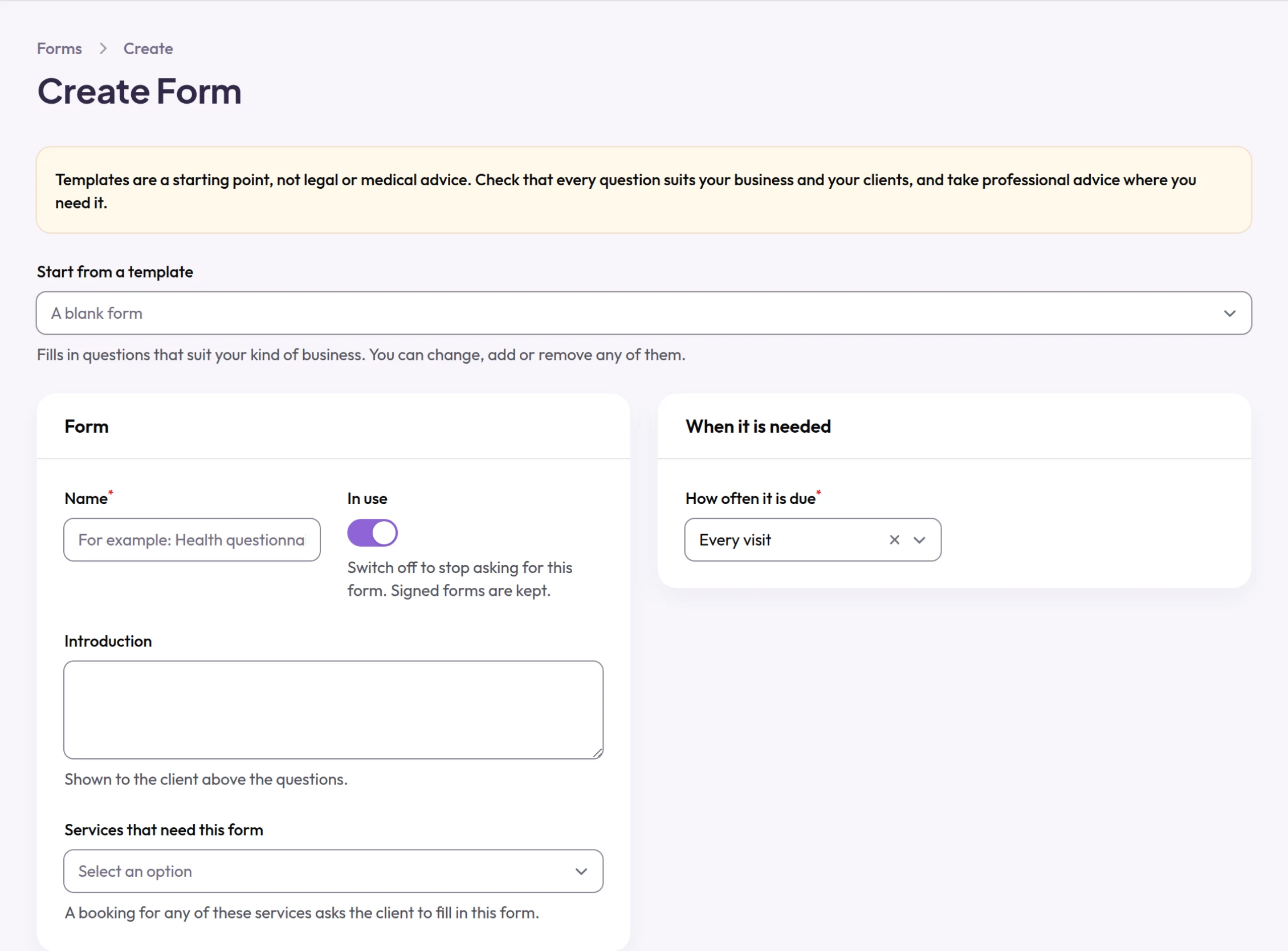
- Open Forms and add a form. Use Start from a template to begin from a template for your trade, or start from a blank form.
- Under Form, give it a Name and an Introduction, and choose the Services that need this form.
- Under When it is needed, choose How often it is due: Every visit, Every few months or Once only.
- Under Privacy and consent, tick Asks about health if it asks about health, and Parent or guardian for under-18s if under-18s need an adult to sign.
- Under Questions, use Add a question to add or change questions.
- On the list of forms, use How long forms are kept to choose how long signed forms are kept.
- On a booking, use View answers to read the answers, Fill in at the desk to fill the form in with the customer, or Upload signed paper form if they signed on paper.
What your customers see
Customers find a button to fill in their form in the confirmation and reminder emails, and on the page for their booking. They answer the questions and sign by typing their name; they can also draw a signature. A signed form cannot be changed. A booking is not blocked while its form is outstanding: the Diary marks it so you can ask at the desk.
Examples from different trades
- Tattoo artistStart from the tattoo and piercing template and ask for a signature on every visit.
- Personal trainerAsk health questions before the first session and again every twelve months.
- Dog groomerAsk once about vaccinations, health and temperament, and keep the answers on file.